
Automate claim status checks and AR follow-up.

Hear real payer calls.
Listen to SuperDial handle payer and provider conversations across claim follow-up, benefits verification, authorization status, credentialing, enrollment, and provider data workflows.
Click to play real payer interactions. Follow the waveform, transcript, extracted fields, and final structured result as SuperDial navigates each step.
Aged AR is full of unanswered payer questions.
Teams lose time calling payers to ask whether a claim was received, processed, paid, denied, or missing information. SuperDial automates that retrieval layer and returns the answer in a consistent format.
A 276/277 claim status inquiry answers part of that question electronically, and for many claims it is enough. When the response comes back with a pending status and no clear reason, or a claim the payer says it can't find, someone still has to open the payer portal or call. SuperDial checks EDI and portals first, calls the payer when the answer only exists on the phone, and returns every result in the same structured format.
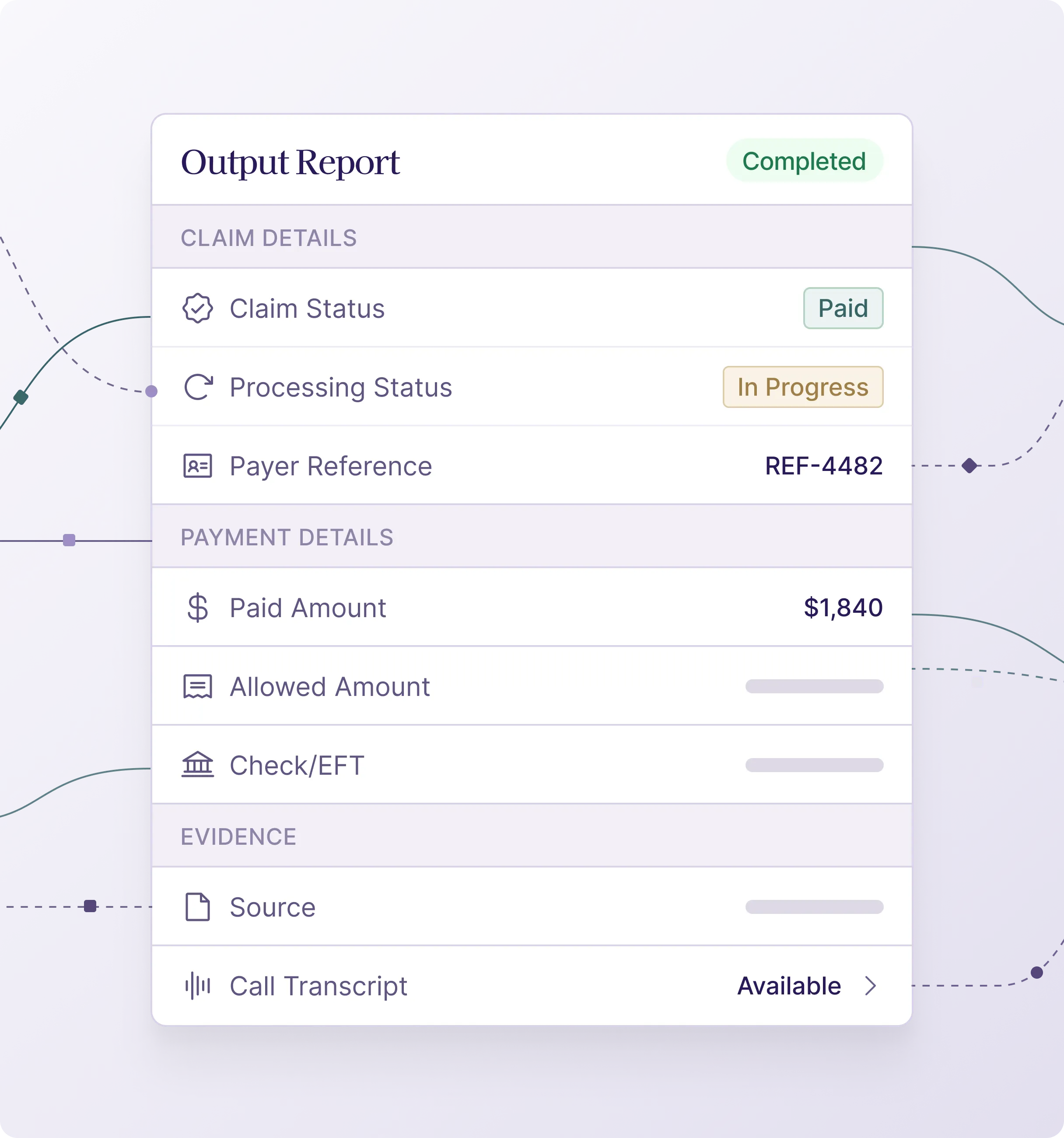
The claim status details your team needs to act.
How It Works
01
01
02
02
03
03
04
04
05
05
06
06
Turn claim follow-up into cash velocity.
Aged AR Work Queues
No-Response Claims
Underpayment Checks
Denial Triage
Reach adjusters who don't pick up.
MVA and workers' comp claims run through individual adjusters, not payer call centers. On supported outbound calls, SuperDial leaves a voicemail requesting a callback and records the outcome.
No answer
Voicemail left
Outcome tracked
Proven in claim follow-up.
See how RCM teams use SuperDial to automate claim status calls and the AR follow-up around them.



Where results go and how teams start.
Results come back through the SuperDial API and webhooks, are written back to your EHR or PMS where an integration is in place, or are sent as a CSV. Each claim includes its status fields, a summary and next action, and the call recording and transcript when a call was made.
Most teams start with a pilot on one real claim follow-up queue, sent as a CSV or through the API. The pilot validates the output schema, the ROI and how exceptions are handled, and teams then expand into API-triggered workflows, webhooks and write-back.
SuperDial is HIPAA compliant, SOC 2 Type II attested and HITRUST e1 certified, and a BAA is standard before any PHI is exchanged.
Claim status automation, answered
What does SuperDial return on a claim status call?
Claim status (paid, denied, pending, not on file), paid amount and date, denial reason and code, check or EFT number, and the next action. Every result comes back as structured fields with the call recording, transcript, timestamps and a confidence marker.
Which payers can SuperDial call?
Any payer with a provider services line. Each request is routed through the fastest channel available: EDI, API, payer portal, then a phone call.
How does the data get back into our system?
API and webhooks, write-back to your EHR or PMS, CSV export, or the SuperDial dashboard.
How do we start?
Most pilots run on one real claim follow-up queue. Send a CSV or connect through the API, with the BAA and security review handled up front.
Does this replace our clearinghouse's 276/277 claim status checks?
No. SuperDial works alongside them. It uses EDI and payer portals where they return a complete answer, and calls the payer when a 277 response or portal leaves out what your team needs, such as a clear reason for a pending status or a claim the payer can't find.
Does SuperDial handle AR follow-up beyond claim status?
Yes. Claim status is usually the first step in AR follow-up, and the same workflow covers denial follow-up. SuperDial returns the denial reason and code, the reconsideration or appeal path, and the next action, so your team can decide whether to correct, resubmit or appeal.
What happens when a payer can't give a complete answer?
The claim comes back to your team as an exception, with a summary of what happened and the recommended next action. The audit trail, including any call recording and transcript, shows what was attempted, so your staff can pick up from there instead of starting over.
Is SuperDial HIPAA compliant?
Yes. SuperDial is HIPAA compliant, SOC 2 Type II attested and HITRUST e1 certified, and a BAA is standard before any PHI is exchanged. Data is encrypted in transit with TLS and at rest with AES-256, and access is controlled with SSO, MFA and role-based permissions.
Turn claim follow-up into structured payer data.
Give SuperDial the queue that keeps sending your team back to the phone.
