
What Does SuperDial Return After a Payer Call?
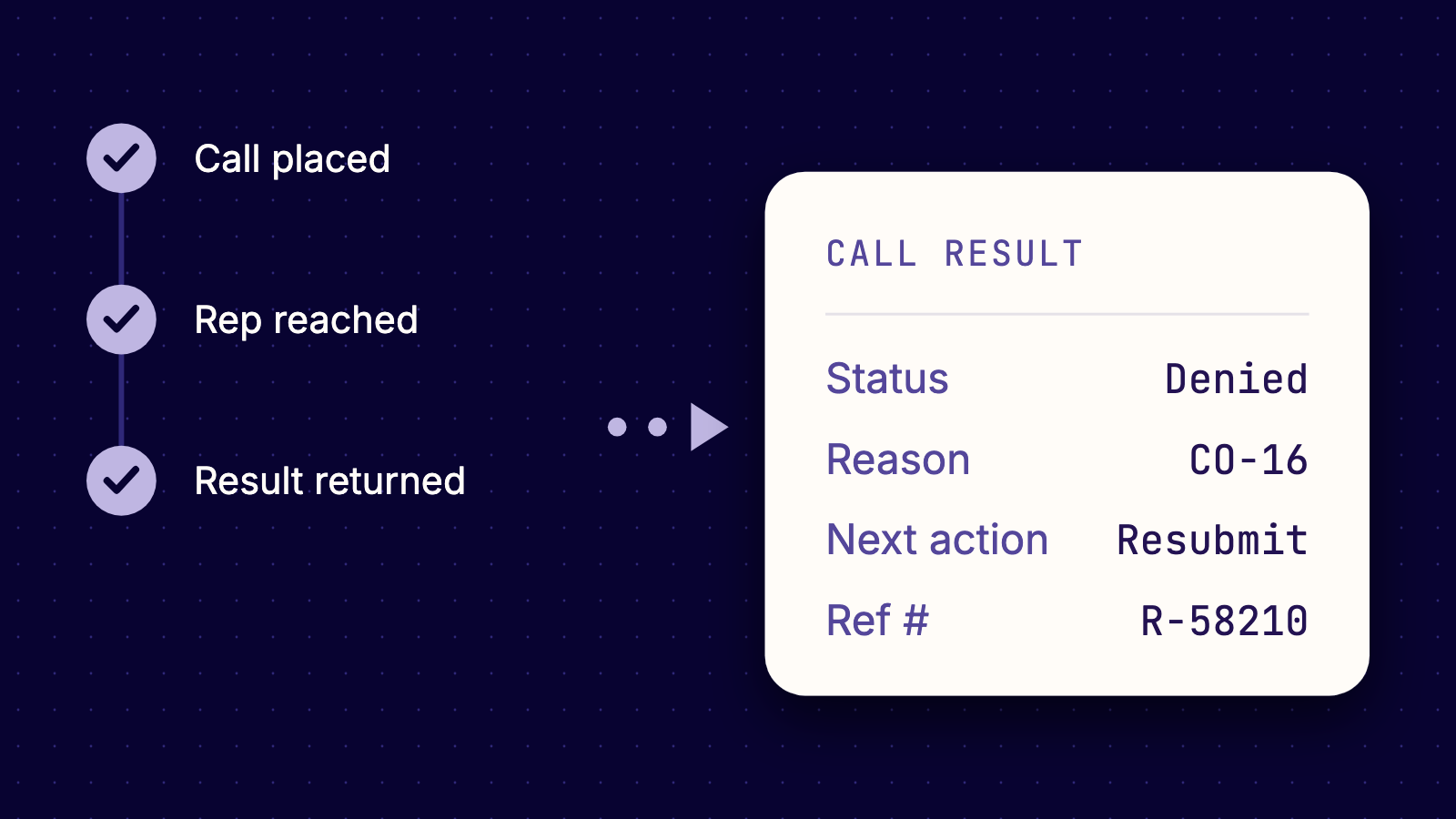
When an AR lead sends a claim to the phone, the call itself is not the goal. What the lead needs back is a status, a dollar amount or a denial reason, and a clear next step that someone on the team can act on today. A verification lead needs the same thing in different fields: remaining deductible, network status, and whether the service needs an authorization before the visit.
SuperDial's AI voice agents call payers, work through the IVR, wait on hold and speak with the representative. That is only half the job. The other half is what lands in your queue afterward, and that output determines whether the call saved your team time or created another research task.
Below is what SuperDial returns for each payer-facing workflow: claim status, benefits verification, prior authorization, and credentialing and enrollment. After the workflows, we cover the evidence that comes with each result, what happens when a request cannot be completed, and how results reach your systems.
TL;DR
- Structured fields, not a transcript to decode. Results come back as structured fields with a short human-readable summary, timestamps and the source details, plus a confidence marker on the fields that matter.
- Each workflow has its own field set. Claim status returns payment and denial details, verification returns cost and coverage details, authorizations return status and validity, and credentialing returns application status and effective dates.
- The next action is a field. Claim, authorization and credentialing results each include the next action, so your team knows what to do with the answer.
- Unfinished requests come back explained. A request SuperDial cannot complete returns marked unable to complete, with the reason and a call summary, and input errors are flagged so you can fix and resubmit.
- Results go where your team works. Delivery options include the API and webhooks, CSV export, the SuperDial portal and dashboard, and write-back to your EHR or PMS where an integration is in place.
Claim status: what comes back on each claim
The claim status workflow answers the questions that fill an aged AR queue: whether the payer received the claim, whether it paid, and if not, why. SuperDial retrieves the answer across supported channels, including electronic sources, payer portals and phone calls, and the result comes back in the same structured format whichever channel supplied it.
| Field | What it tells your team |
|---|---|
| Claim received date and payer reference number | Whether the payer has the claim on file, with a reference to cite later |
| Claim status and processing status | Paid, denied, pending or not on file, so the claim goes to the right queue |
| Paid amount, allowed amount and patient responsibility | What the payer paid and allowed, for posting or underpayment review |
| Payment date and check or EFT number | The details needed to match the payment |
| Denial reason and code | Why the claim was denied, so your team can correct, resubmit or appeal |
| Reconsideration or appeal path | Which route the payer offers for disputing the decision |
| Next action | The step that moves the claim forward |
Some claims run through individual adjusters rather than payer call centers, as with MVA and workers' comp. On supported outbound calls, SuperDial leaves a voicemail asking for a callback, and results flag voicemail-left calls separately from live conversations. Your team can see which claims are waiting on a callback.
Structured claim results matter downstream. Neuromonitoring Associates reported a 500% increase in claim follow-ups, and its case study credits structured outputs with streamlining AR workflows and dispute resolution. These are customer-reported results, not a guarantee of identical outcomes for every organization.
Benefits verification: the details behind a visit
An electronic 270/271 response confirms whether coverage is active, and for many visits that is enough. Depending on how your workflow is set up, benefits verification can pick up where your clearinghouse check stops and fill in what the response left out. Those fields return in the same structured format.
| Field group | Fields returned | What it tells your team |
|---|---|---|
| Coverage | Eligibility status, plan type, network status, coverage effective dates | Whether the plan is active and in network for the date of service |
| Cost details | Deductible remaining, out-of-pocket remaining, copay, coinsurance, accumulators | How much of the plan's cost sharing has been met |
| Requirements | Authorizations, referrals, carve-outs, benefit limitations | What must happen before the service, and what the plan excludes or limits |
Coverage can be verified down to the specific procedure codes your team needs before the visit. Requests run in batches ahead of the appointment date you set, and each result posts as its call completes.
Complex verification is where structure counts most. At Flourish Nutrition, a specialty nutrition practice, insurance calls averaged 28 to 45+ minutes per patient, with scripts that validate eligibility across dozens of procedures and diagnoses. Reliable call transcripts and structured outputs through the API were among the reasons Flourish chose SuperDial.
Prior authorization: requirement, status and what is missing
The prior authorization workflow covers two moments. Before submission, the agent confirms with the payer whether the service, code and setting need an authorization, and returns the answer with the call's reference number. After your team submits, SuperDial tracks the request through to a decision.
| Field | What it tells your team |
|---|---|
| Auth requirement | Whether this service needs an authorization for this plan, provider and setting |
| Auth status | Approved, pending, denied, withdrawn or missing information |
| Auth number and submission method | The number to put on the claim, and how the payer accepts the request |
| Effective date, expiration date, approved units or visits | What the approval covers and for how long |
| Missing documentation | The document, clinical detail, form or submission path still needed |
| Payer department or contact path | Where the missing item goes |
| Next steps | What has to happen to move the authorization forward |
When the payer needs more information, the result names what is missing and where to send it. Your team does not need another call just to find out.
Credentialing and enrollment: where each application stands
The credentialing and enrollment workflow makes the status and follow-up calls on applications you have already submitted. Your team or your CVO submits, and SuperDial handles the status and follow-up calls that follow, reporting back on where each application stands.
| Field group | Fields returned | What it tells your team |
|---|---|---|
| Application status | Application received status, credentialing status, enrollment status, last confirmed date | Where the application stands and when that was last confirmed |
| Provider setup | Payer ID, effective date, participating or non-participating status | When the provider can bill the payer, and on what network status |
| Requirements and next steps | Next required action, missing documentation, payer reference number, department or contact path | What the payer still needs, and who to contact about it |
Status checks run in parallel rather than one call at a time, so a backlog does not wait in a call queue. Results come back per provider and payer.
The evidence behind every result
A structured field is only useful if your team can trust it. Results come with the evidence behind them: the call summary, the timestamp, the source and a confidence indicator on the fields that matter. The voice agents record, transcribe and summarize every interaction, and they persist source metadata, timestamps and confidence scores.
For phone calls, a written call summary comes with every call, and the recording and transcript are available. Ask for recording and transcript access when you set up your account. Results also carry an audit trail of what was attempted, so a biller can check an answer before acting on it. Verification results list the source channel and timestamp, and can also include source documents.
When a request cannot be completed
Not every payer call ends with a full answer. When the agent cannot get one, the request comes back marked unable to complete, with the reason and a written call summary, so your team can see what happened without replaying the call. Requests with a missing or incorrect input, such as a member ID, NPI or claim number, come back flagged as an input error that you can fix and resubmit.
Work that needs a person comes back to your team with context: a summary of what happened, the recommended next step and the audit trail. Your staff pick up where the agent stopped instead of starting over.
How results reach your systems
Results come back in a schema your team defines, with source evidence and auditability. Requests can go in as a CSV upload, through the REST API, from a work queue export, or as a trigger from your EHR or PMS. Results can come back through four paths.
- API and webhooks: real-time JSON events and results for request-level integrations.
- Files: downloadable CSVs and PDFs for batch workflows.
- Portal and dashboard: a searchable view of call recordings, transcripts, results, dashboards and QA views.
- EHR or PMS connection: structured notes and statuses mapped into your existing fields, where an integration is in place.
The integrations page lists the EHR and PMS systems SuperDial works with, including Epic, athenahealth, ModMed, Tebra, Dentrix Ascend and Open Dental. How each one connects depends on what that system supports, and some connections need setup, which SuperDial confirms with you before any work starts. If your system is not listed, work can start as a CSV batch upload, with the API, webhooks or an EHR or PMS connection added when your system supports it. The full result is also available in the SuperDial portal.
Frequently asked questions
Does every result come from a phone call?
No. SuperDial uses multiple channels, including electronic sources, payer portals and phone calls, to retrieve payer information. Results are returned in a consistent, structured format for your team to review and act on.
Can we choose which fields come back?
Yes. Workflows return data in a schema your team defines, and results are normalized into your output schema. Workflows can also be configured around your scripts, payer mix, question blocks, call flows and escalation rules. A pilot is where you confirm the output schema against your own work.
Does the summary replace the recording?
No, it sits alongside it. A written call summary comes with every call, so your team can read what happened instead of replaying it. The recording and transcript remain available for any call your team wants to review word for word.
How is PHI protected?
SuperDial states that it is HIPAA compliant, SOC 2 Type II attested and HITRUST e1 certified. A BAA is standard before any PHI is exchanged. Data is encrypted in transit with TLS and at rest with AES-256, and access is controlled with SSO, MFA and role-based permissions.
See what comes back from your own queue
Field lists only go so far. The real test is a batch of your own claims, authorizations, verifications or credentialing checks, run against the payers your team calls every week. Most teams start with a focused workflow and a representative batch, sent as a CSV or through the API, and validate the script, the ROI and the exception path before integrating further. For the rollout steps after that, see the implementation guide. Book a demo to scope a pilot and see exactly what comes back.
Run a pilot on a real workflow.
Bring a representative batch, define the output schema, and validate ROI with your payer mix in 30 to 90 days.
